
Remote work has become a structural component of the modern workplaces. If on the one hand this way of working offers advantages, including undeniable flexibility and better work-life balance, on the other hand it brings new challenges for people's wellbeing that cannot be ignored.
It's easy to fall into the mistake of thinking that workplace safety only concerns the physical office; in reality, working from home comes with specific risks, from improvised ergonomics to professional isolation, to the difficulty of drawing clear boundaries between work and rest. In this article, we'll explore how to ensure health and safety when working remotely, looking at the best practices to protect one's mental and physical wellbeing.
 Quiz
Quiz
Near miss: can you recognize 'near misses' at work? Put yourself to the test with our quiz!
1. Remote work and health: the architecture of the home workstation
Moving the office into our homes has disrupted ergonomic conditions. While at the office, the chair, the desk and the lighting must comply with strict legal standards (for example, in Europe, EN 1335 and EN 527), at home people often work in hybrid multipurpose spaces, adapting dining tables and chairs that are not ergonomic for work needs.
This kind of 'makeshift ergonomics' is something to watch out for, as it can lead to an increase in musculoskeletal disorders (MSDs).
The correct design of a home workstation is not a matter of comfort, but of biomechanics. The guidelines issued by the Italian ministry and the information notices based on Italian Legislative Decree 81/08 provide precise parameters that people are required to replicate.
The work surface (desk)
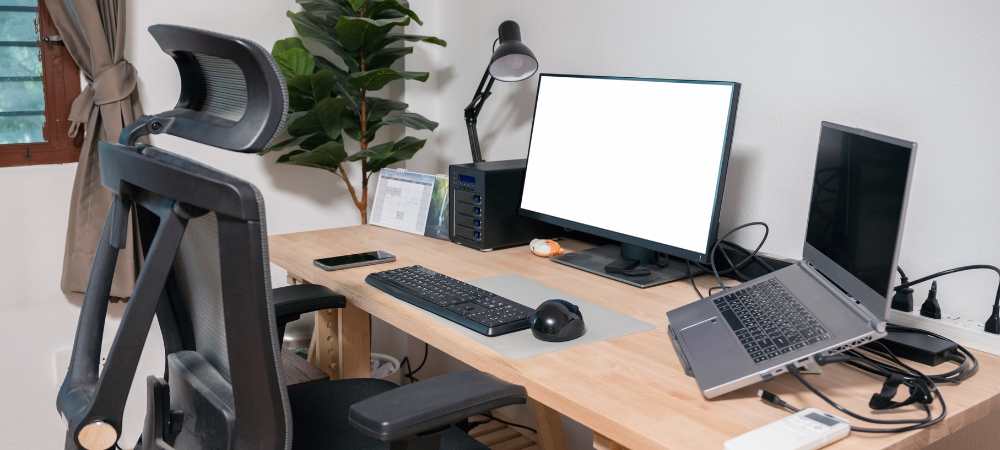
The work surface must be wide enough to allow flexible placement of the screen, keyboard, documents and any necessary accessories:
- height: the recommended standard height is between 70 and 80 cm. A surface that is too high forces you to raise your shoulders, creating tension in the trapezius muscles; one that is too low forces you to curve your spine;
- depth: the desk needs enough depth for the screen to sit at an appropriate distance from your eyes (generally between 50 and 70 cm), and to leave enough space to rest your forearms while typing, which is essential for taking the load off your shoulders;
- surface: it should be matte and a neutral color to avoid annoying reflections that could increase eye strain.
The chair
The chair is the critical element for anyone who works a lot remotely. Prolonged use of kitchen chairs (rigid, with no adjustments, often too low) is strongly discouraged. A suitable chair must have:
- a stable base, to prevent tipping over;
- height adjustment (the seat must allow your thighs to be horizontal and your feet to rest fully on the floor);
- a backrest adjustable in both tilt and height, with lumbar support that follows the natural lordosis of the spine.
The laptop paradox and "Tech Neck"
The laptop is the enabling tool for remote work, but from an ergonomic point of view it is inherently flawed when used for long periods. Its clamshell design permanently joins the screen and the keyboard, forcing users to choose between a correct neck posture (high screen) and a correct arm position (low keyboard).
The guidelines of INAIL, the Italian National Institute for Insurance against Accidents at Work, are clear: "the use of laptop computers [...] falls under the category of VDTs (video display terminals); the need for a correct, non-prolonged mode of use remains." For continuous use, it is essential to "detach" the components by using:
- a stand to raise the monitor to eye level;
- an external keyboard and mouse.
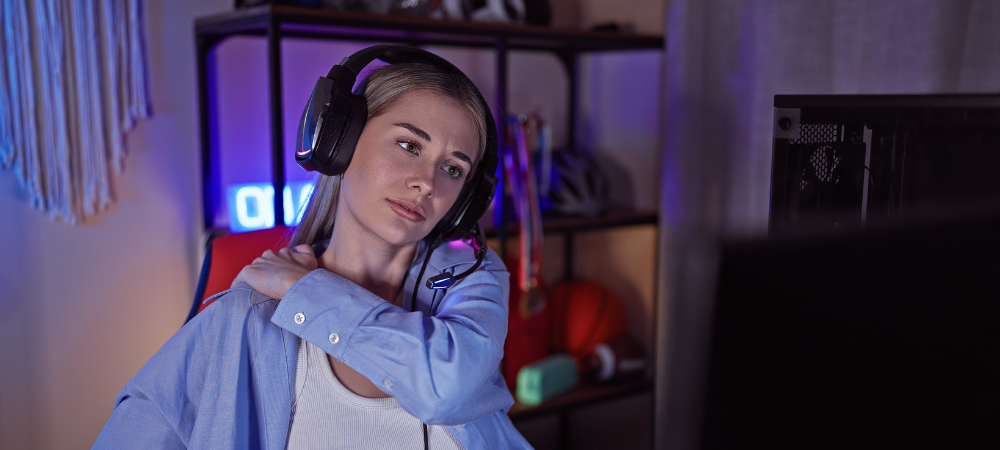
Ignoring these rules can lead to "Tech Neck," a painful condition caused by overloading the neck muscles, which have to support the weight of the head tilted forward for hours.
2. Microclimate, lighting and electrical systems
When it comes to remote work environmental safety is just as important as postural safety. Here’s what you need to pay attention to.
Lighting
Lighting should be sufficient (roughly 500 lux on the work surface) and well distributed. It is essential to position your workstation in relation to the windows so as to avoid direct glare (window in front of you) or reflections on the screen (window behind you). The ideal setup has natural light coming from the side (at 90° to your line of sight).
Microclimate
Temperature and humidity need to be controlled. Unlike at the office, where the system is centralized, at home people have to manage air exchange on their own to avoid a buildup of CO2, which reduces concentration and causes sleepiness. Be careful with direct drafts too (fans, open windows), as they can cause muscle spasms.
Electrical safety
This aspect is often underestimated, yet it is very important for personal safety. The home environment must be safe from an electrical-system point of view: avoid overloading multi-socket power strips by plugging too many devices into the same socket, and keep cables tidy to prevent tripping hazards, which are among the most frequent household accidents but are often underestimated in a work context.
3. Remote work: the invisible risks
If physical risks are measurable and tangible, remote work has brought a more insidious category of risks to the forefront: psychosocial risks. In its 2025 update to the assessment methodology, Italy's INAIL added specific modules to investigate the impact of remote work, technological innovation and work-life balance, officially recognizing that digitalization is not neutral with respect to mental health. What can happen?
Professional isolation and alienation
The lack of informal, in-person interaction, the so-called "water cooler conversation," deprives workers of an important social buffer. Prolonged remote work can lead to a sense of isolation and detachment from company culture (organizational drift). Some studies carried out on samples of remote workers show that, despite a generally positive perception linked to flexibility, problems emerge around a lack of perceived social support. Remote workers risk feeling "invisible," fearing that their physical absence will translate into fewer career opportunities or into their contribution being undervalued. This insecurity can fuel hyperconnectivity as a compensatory mechanism, when in fact disconnection is a right.
Burnout and hyperconnectivity
Hyperconnectivity (always-on culture) can be a precursor of burnout. The dissolution of the physical boundaries between home and office makes it hard to "switch off" mentally. Symptoms include emotional exhaustion, depersonalization (cynicism towards work) and reduced personal accomplishment. It is essential to note that psychosocial risks are not "private" matters for the worker, but organizational risks that the employer is obliged to assess and mitigate under Article 28 of Italian Legislative Decree 81/08.
4. Remote work and safety: the role of companies
In the context of remote work, safety is evolving into the broader concept of wellbeing. Companies should go beyond preventing accidents and actively promote health, which under Italy's Consolidated Act on Health and Safety at Work means "a state of complete physical, mental and social wellbeing, not merely the absence of disease or infirmity." Best company practices show a trend towards providing "holistic" support, going beyond the simple selection of suitable remote work tools to embrace diverse elements such as psychological support or specific welfare policies. Learn more about De Nora's approach to employee wellbeing!
 Work with us!